AR Mode
MuYu supports AR mode: place MuYu stickers anywhere in the real space around you and feel strikes coming from every direction.
Turning on AR mode
Tap the settings button to open Preferences, scroll to the bottom, and turn on the AR Mode switch.
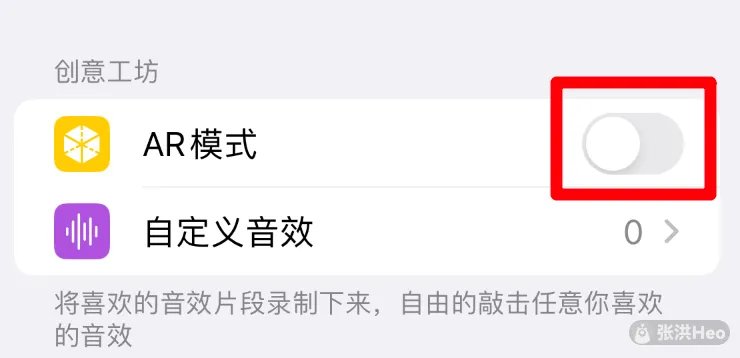
Then close Preferences and you'll see that AR mode is on. (On first use it needs camera permission. The MuYu app communicates only with iCloud; neither the developer nor any third party can obtain any of your data.)
Placing stickers
There's a place button in the toolbar at the bottom of the main screen; tap it to place a sticker.
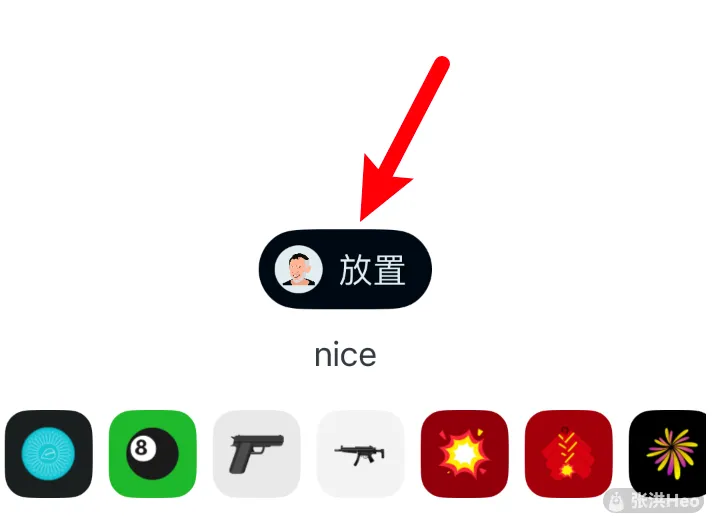
With AR mode on you can still use the full range of striking methods and switch sounds; after you switch sounds, all existing stickers are replaced with the new sound.
Clearing stickers
If you have too many stickers, tap the clear button next to the place button to remove them all.
Playing sounds
In AR mode, striking works the same way as in normal mode.